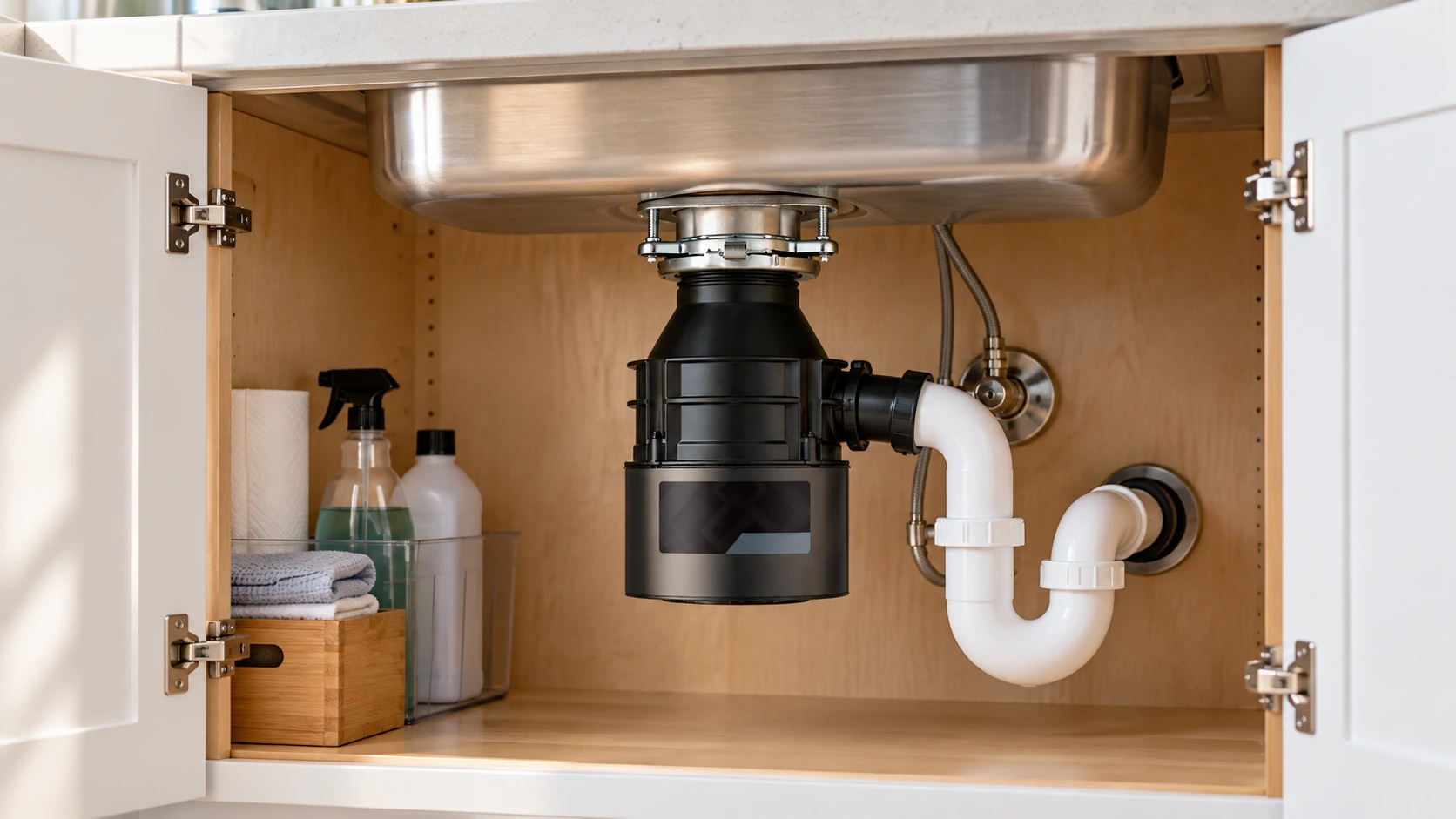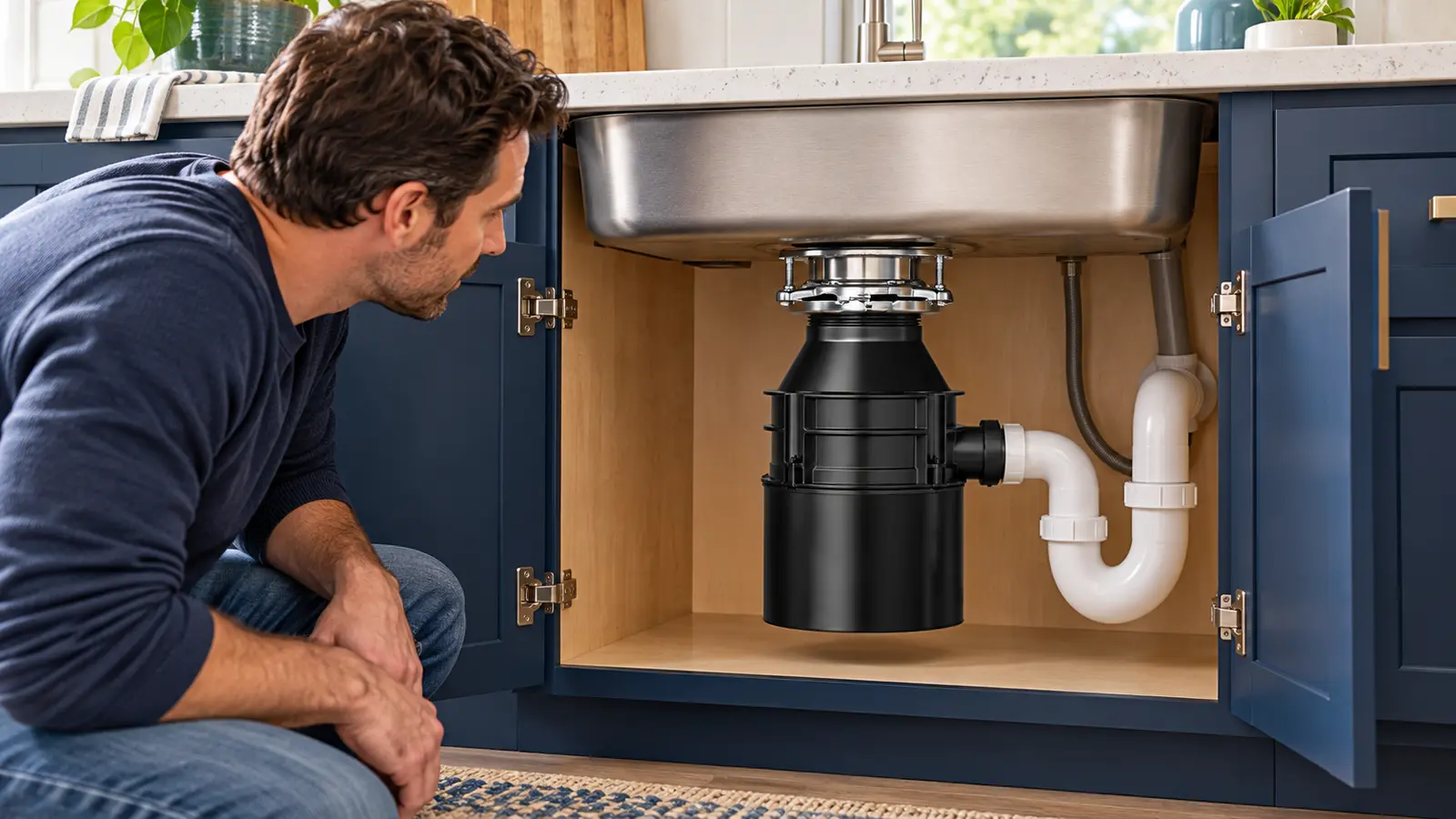
A garbage disposal that hums or buzzes but will not grind may have a jammed grinding plate. The sound suggests the motor is trying to operate, but it does not prove that an object is stuck or that the motor has failed. What matters first is stopping the unit safely, then checking the correct instructions for your model.
First: turn it off and do not reach inside.
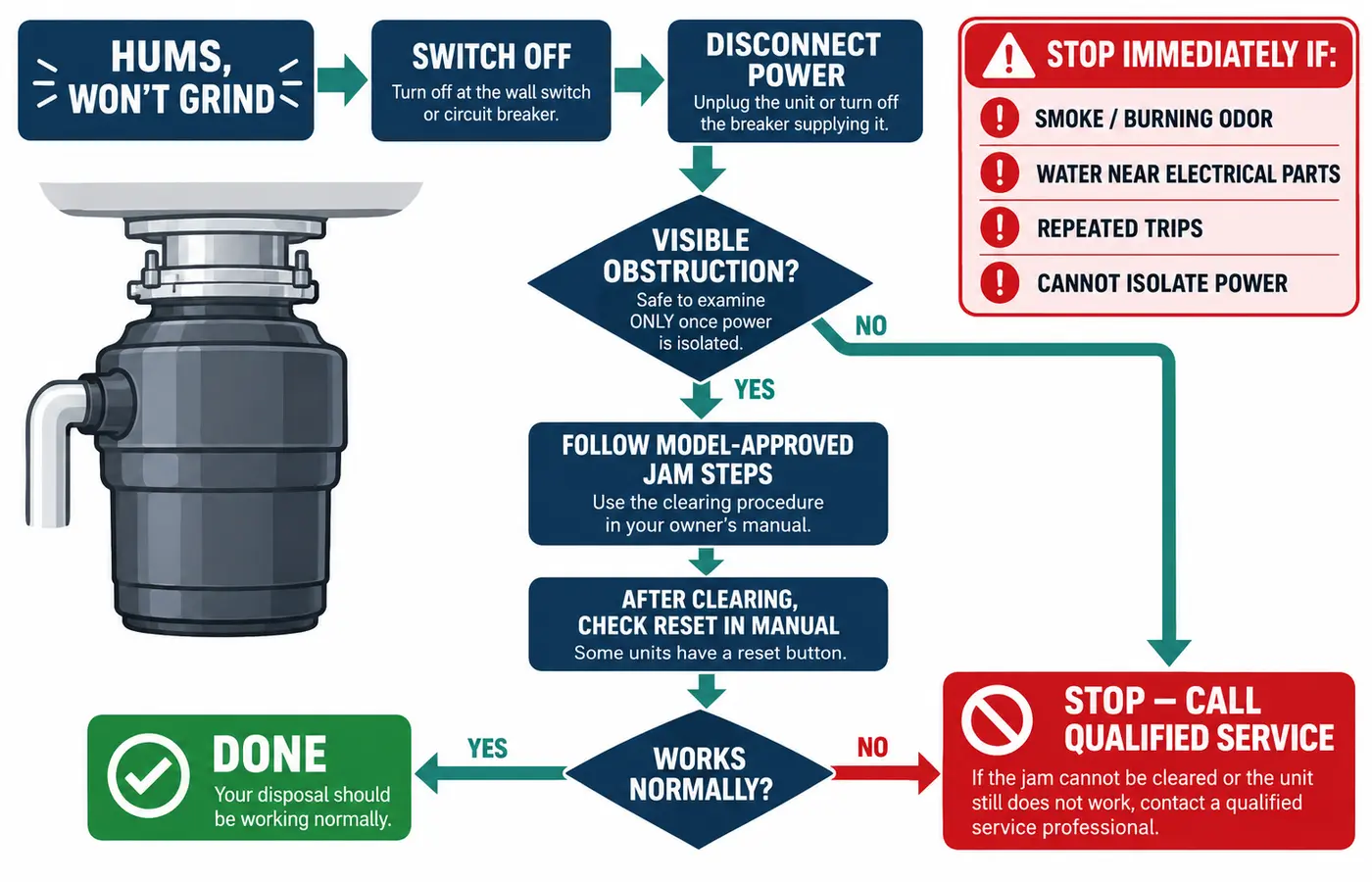
Stop the disposal as soon as you hear a sustained hum without normal grinding. Before looking inside or using any tool, unplug it if safely accessible or switch off its circuit breaker. Never put your fingers or hands into the grinding chamber. If there is smoke, a burning smell, a leak near electrical connections, or a repeatedly tripping breaker, leave the unit off and seek qualified help.
Quick answer: what should you do?
- Switch the disposal off immediately; do not keep testing a stalled motor.
- Disconnect power at its plug or the correct breaker before inspecting the opening.
- Look for an accessible obstruction with a flashlight; use long-handled tongs, never your hands.
- If the model manual allows it, free the turntable using its specified tool and access point.
- Only after the obstruction is cleared, follow the model's overload-reset and restart instructions. If it still hums, stop and arrange service.
Why Your Garbage Disposal Hums but Won't Spin
Normally, the motor turns a metal turntable (also called a grinding plate or flywheel). Small metal impellers or lugs on that plate push food against a fixed grind ring. Contrary to a common description, a typical residential disposer does not have blender-style rotating cutting blades. InSinkErator explains this grinding mechanism in its manufacturer guidance.
When a utensil, hard fragment, or fibrous material prevents the turntable from moving, the motor can produce a humming or buzzing sound rather than the familiar grinding noise. This is one common explanation, not the only one: internal mechanical or motor problems can produce similar symptoms. Continuing to power a stalled disposal may cause overheating or trip its built-in overload protector.
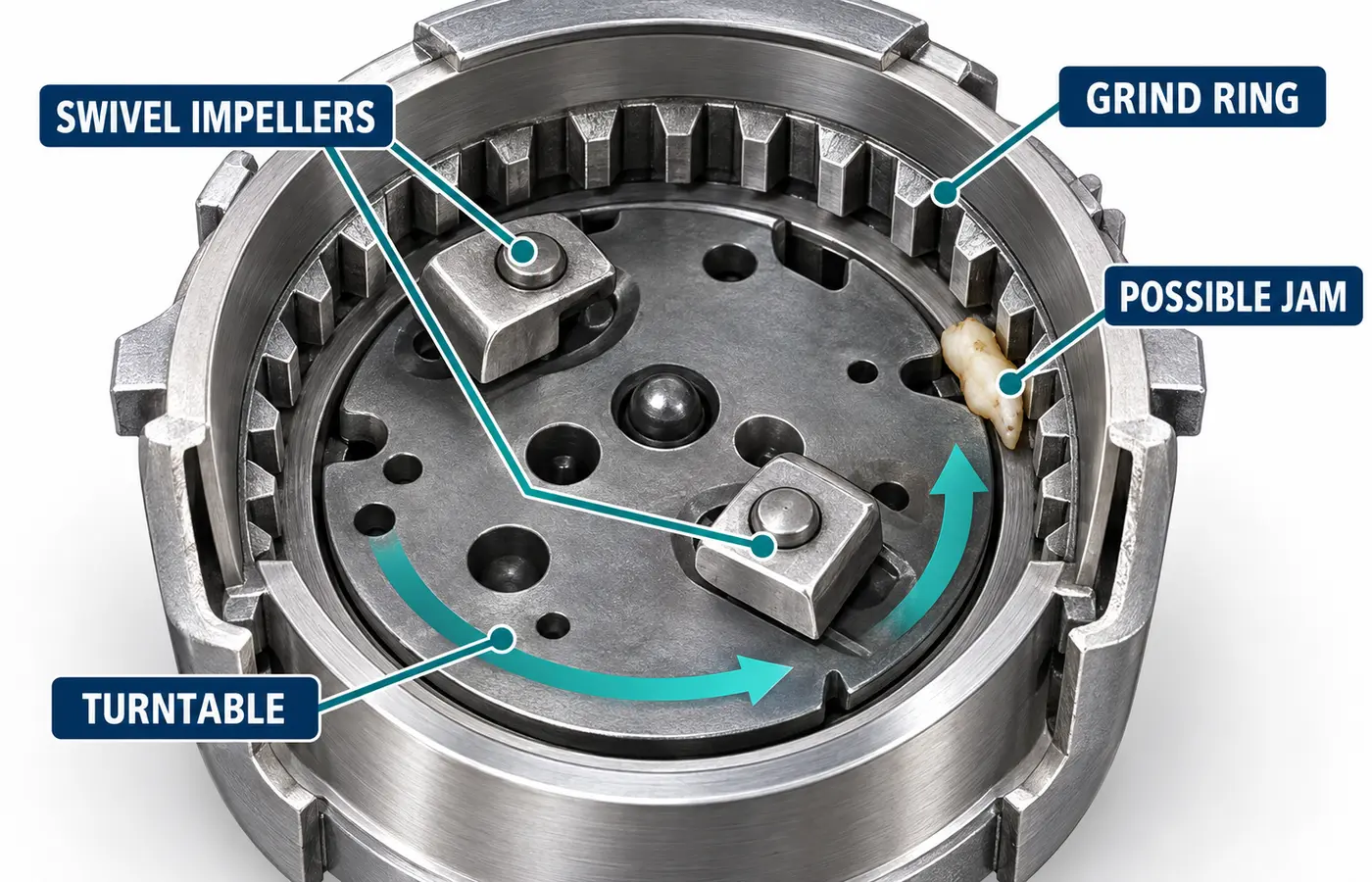
Most likely causes of a humming disposal
| Possible cause | Clues you may notice | Appropriate next step |
|---|---|---|
| Foreign object or food jam | Sudden hum after something fell into the sink; no normal grinding | Disconnect power and follow the model's jam-clearing directions |
| Overload or overheating | The unit hummed earlier but now makes no sound, or its reset has tripped | Keep it off; clear a suspected jam before a model-approved reset |
| Restricted turntable movement | Small impellers move, but the whole grinding plate does not move freely | Check the turntable using only the manufacturer's permitted tool |
| Internal mechanical or motor fault | Humming continues even after safe, approved checks | Stop; obtain qualified diagnosis rather than opening the motor |
These are possibilities, not a diagnosis from sound alone. A disposal can hum even if the sink still drains, and slow drainage does not establish why the motor is humming.
What to Check First, Before Trying to Unjam It
Work around a garbage disposal involves both electricity and moving metal components in a wet area. Keep the following checks limited to what you can do without opening the unit's electrical or motor housing.
1. Stop the sound
Turn off the wall switch, countertop air switch, or other model-specific activation control. Do not hold the switch on while the unit hums, or cycle it repeatedly to see whether it starts.
2. Isolate its electrical supply
If the plug is dry and safely accessible, unplug the disposal; otherwise switch off the correct circuit at the electrical panel. A wall switch in the off position is not a substitute for disconnecting power before putting tools into the chamber.
3. Look without reaching in
Use a flashlight from above to look for a spoon, bottle cap, glass, or other object. Remove only a clearly accessible item using long-handled tongs or pliers while power is disconnected. Never insert fingers.
4. Identify the actual model
Find the brand and model number on the accessible housing label or in your records. Check the manufacturer's instructions before choosing a wrench, removing a splash guard, or pressing any reset control.
If you cannot safely unplug the disposer or identify and isolate its circuit, stop. Do not touch wet plugs or outlets, open electrical covers, or reach under an active leak. A qualified electrician is appropriate for an electrical supply problem; a qualified plumber or disposal service provider can address a persistent mechanical jam.
How to Check and Clear a Garbage Disposal Jam Safely
There is no universal unjamming method. Some models have a dedicated wrench hole in the bottom of the disposal, while others are cleared through the sink opening with a specified tool. The instructions below describe manufacturer-documented approaches, not permission to use any technique on any disposer.
Step 1: Check for visible debris
With power disconnected, look into the sink opening using a flashlight. A small metal utensil, hard food fragment, or broken glass may be wedged near the outer grind ring. Use long-handled tongs or needle-nose pliers only if you can safely grip the item without putting your hand inside. Do not probe blindly beneath the turntable. If glass is shattered, a piece is deeply lodged, or safe removal is uncertain, leave it for a professional.
Step 2: Choose the correct manufacturer-approved method
InSinkErator: bottom wrench port, where provided
For many InSinkErator models, the manufacturer specifies a Jam-Buster wrench or 1/4-inch Allen wrench in the center hole on the underside. With power disconnected, work the wrench back and forth as the manual directs until the turntable is freed. Remove the wrench afterward. Do not assume your particular model has this opening. See InSinkErator's jam-clearing instructions.
InSinkErator Builder Series, Amana, and ES: top-access method
InSinkErator documents a different technique for these designs: use a wooden spoon from the sink opening to move the turntable, after the power has been disconnected. Follow that exact model's directions; never substitute this approach for a bottom-wrench procedure without checking.
Moen: dedicated top-access unjamming wrench
Moen describes using its unjamming wrench, part #1037, through the sink opening to move the entire turntable by bearing against the swivel impellers. Splash guards can be removable or integrated depending on the model. Follow Moen's illustrated procedure rather than trying an InSinkErator-style underside wrench on a Moen unit.
Waste King: wooden spoon or supported unjamming tool
Waste King's official troubleshooting FAQ explains moving the turntable from the sink opening with a wooden spoon or appropriate unjamming wrench, with the power off. The impellers are used to apply force to the plate; they are not the part you are checking for free movement.
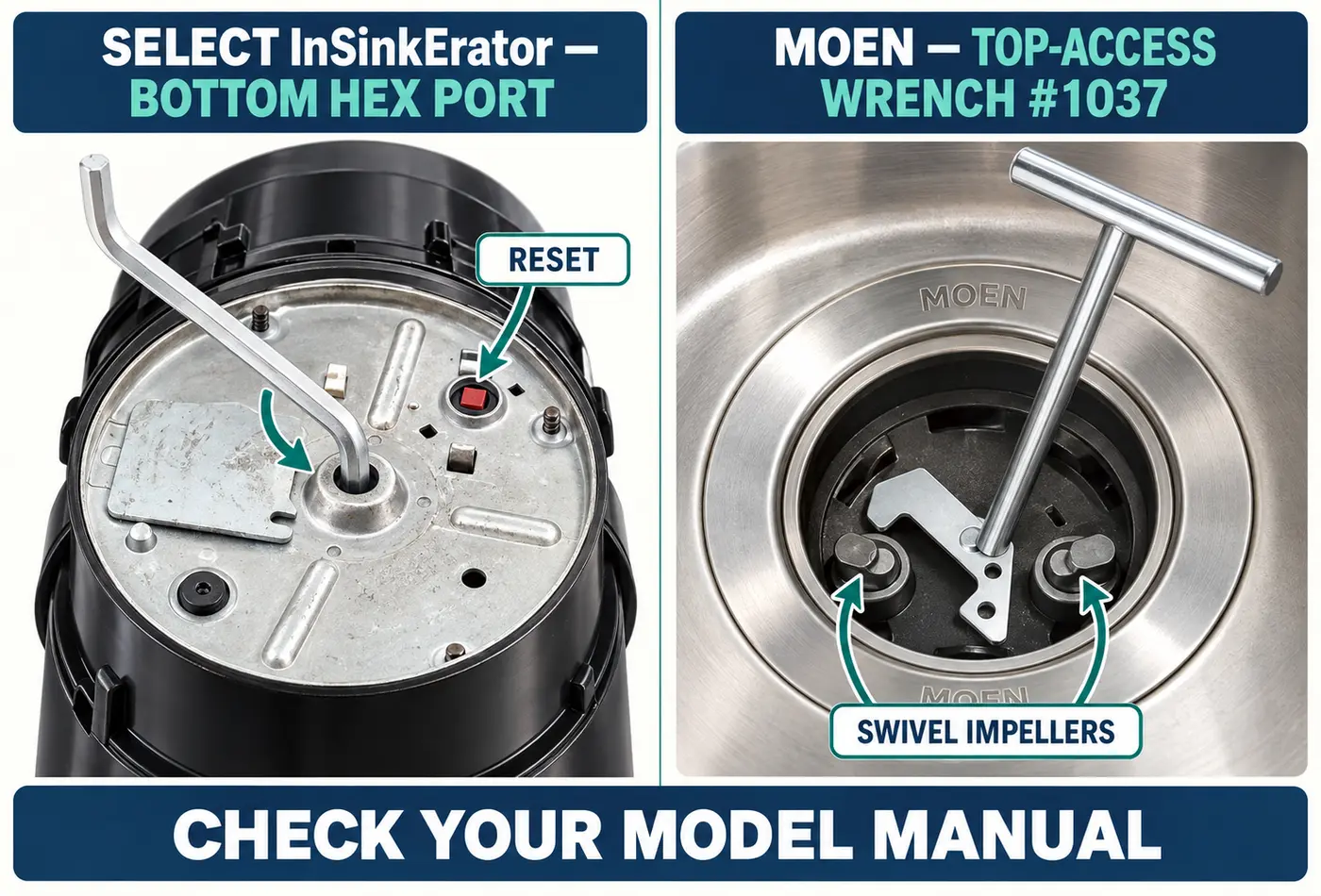
Step 3: Confirm that the turntable, not just the impellers, moves
The small swivel impellers inside many disposals can shift independently. A common misunderstanding is that these are the “blades” and that moving them means the whole mechanism is free. Waste King specifically distinguishes impeller movement from turntable rotation. Use only the manufacturer's approved tool and method to determine whether the entire plate has been freed. If the plate still will not move as directed, do not force it or improvise another tool.
Step 4: Remove tools and put any guards back
After an approved jam-clearing step, remove the wrench, spoon, tongs, and loose objects. Reinstall a removable splash guard or stopper as the manual requires. Check that everyone is clear of the sink opening before restoring power. If you are unsure whether the obstruction is gone, do not turn the disposal back on.
Why the Garbage Disposal Reset Button May Not Fix the Hum
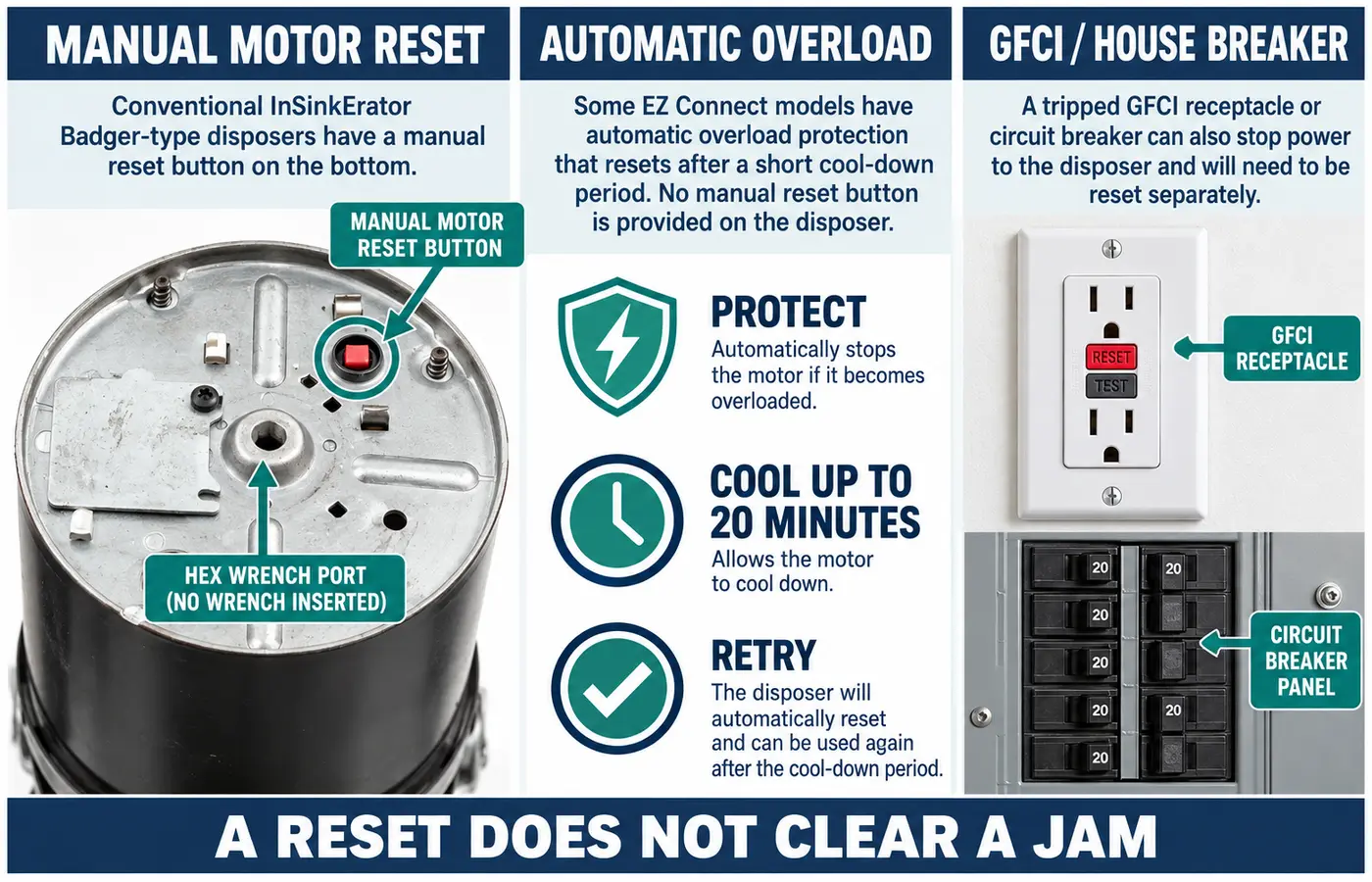
A disposer motor's overload protector is designed to interrupt operation when the motor is overloaded or overheats. It does not mechanically clear a jam. Pushing reset while the grinding mechanism is still blocked can lead to another hum or shutdown. First resolve the obstruction using the model's instructions and allow the unit to cool as directed.
Manual motor reset
Many disposals have a red overload button on or near the underside. Its exact location and behavior vary. Press it only when the manual says to, after the jam has been cleared and the unit is ready.
Automatic motor protection
InSinkErator EZ Connect models use an automatic overload switch. The manufacturer's cool-down instructions can allow up to 20 minutes and vary with wall-switch versus air-switch activation.
GFCI or house breaker
A GFCI outlet or breaker protects against a ground fault, while a household circuit breaker protects a circuit. Neither is the same as the disposal's own motor overload protector.
For InSinkErator models with a manual overload button, the manufacturer says to allow additional cooling if the button will not stay in; its instructions describe waiting 10 minutes in that situation. Do not apply that timing to every brand or model. See InSinkErator's reset guide. For electrical-protection context, the Electrical Safety Foundation International explains GFCIs.
If a breaker or GFCI trips repeatedly, do not keep resetting it. Electrical faults, wet receptacles, or damaged wiring require a qualified electrician. Never bypass a protection device to make the disposer run.
What If the Disposal Still Hums After You Clear the Jam?
If the turntable moves freely through the approved manual check but the disposal continues to hum without normal grinding, switch it off and leave it off. The sound is no longer enough to identify the fault. A hidden obstruction, worn or damaged mechanical component, or internal motor problem may be involved, and diagnosis could require access to parts that are not intended for homeowner repair.
Do not open the motor housing, inspect energized wiring, attempt live electrical measurements, or try to replace internal capacitors. If the disposal is leaking, the outlet is wet, or there is heat, smoke, or a burning odor, do not perform another test. Arrange professional inspection and explain what happened before the unit was disconnected.
Can you test it again after a successful unjam?
Only if the exact model instructions allow it, the suspected obstruction is removed, the approved tool is out, required guards are restored, and there are no warning signs. Restore electrical supply as directed, run the specified flow of cold water, and perform the manufacturer's normal restart check. If the motor hums again instead of grinding, switch it off immediately. Repeated start attempts are not a troubleshooting method.
Humming, Buzzing, Silence, and Slow Draining: What Is Different?
The words humming and buzzing often describe the same stalled-motor complaint. The distinction that matters more is whether the disposal produces only a low sound, operates normally, becomes completely silent, or is accompanied by drainage trouble.
| What you notice | What it may mean | Safe direction |
|---|---|---|
| Hums or buzzes; no grinding | Blocked turntable is possible; another fault is also possible | Power off and follow model-specific jam checks |
| Hummed, then stopped making sound | Motor overload may have opened, but loss of power is also possible | Do not repeat starts; review overload guidance and broader no-power symptoms |
| Impellers wiggle, but disposal still hums | Whole turntable may still be jammed | Do not mistake free impellers for a free grinding plate |
| Motor sounds normal, but food is not ground | Different operating or grinding issue | Consult manufacturer troubleshooting; avoid forcing objects through |
| Water drains slowly and disposal hums | Drain restriction may coexist with a separate motor or jam issue | Leave disposal off; assess the drain separately without caustic cleaners |
| Completely silent from the start | May involve a power or activation problem rather than a stall | See the broader garbage disposal not working guide |
A plugged sink alone does not explain an electrical hum. Likewise, the fact that water passes through the sink does not show the grinder is mechanically sound. Keep these observations separate when describing the problem to a repair professional.
When to Call a Professional—and Whether to Repair or Replace
Many simple obstructions can be resolved without replacing the appliance, but humming does not establish whether the motor is serviceable. The correct choice depends on a verified cause, the disposer model, its age and warranty, available parts, and the condition of the electrical connection and housing.
Leave it off and call for service if:
- It continues humming after the manual's safe checks.
- The approved tool cannot free the turntable.
- Overload protection or the breaker trips again.
- You see a leak, cracked housing, or damaged connection.
- You notice smoke, scorching, unusual heat, or a burning smell.
- You cannot confidently isolate the electrical supply.
Information to provide the technician:
- Brand and model number.
- Whether it hums, buzzes, or has become silent.
- What went into the sink before the problem started.
- Whether water drains normally.
- Any breaker, GFCI, or motor-overload trip.
- Which manufacturer-approved checks you already completed.
A plumber or qualified disposal service provider can diagnose a persistent mechanical jam, disposer failure, or related drain problem. Use a qualified electrician for supply wiring, damaged outlets, GFCI or breaker issues, or electrical shock concerns. Do not assume a replacement is required based on the hum alone, and check the unit's warranty before authorizing paid work.
How to help prevent another jam
Follow the limits in the owner's manual. Keep silverware, bottle caps, plastic, glass, and other non-food items out of the sink opening. Avoid putting grease or cooking fat down the drain. When the disposer is operating normally, InSinkErator recommends running a moderate flow of cold water while grinding and briefly afterward. Feed acceptable food waste gradually rather than packing the chamber full. What counts as acceptable food waste depends on the specific disposer.
Frequently Asked Questions
Does a humming garbage disposal mean the motor is burned out?
No. Humming can occur when the motor is trying to move a jammed grinding plate. It may also accompany another internal fault. Do not declare a motor failed or purchase a replacement based only on the sound. Turn the unit off and use safe, model-approved checks before seeking diagnosis.
Is buzzing different from humming?
For a disposal that does not grind, homeowners often use buzzing and humming for a similar low motor-like sound. Neither word identifies the failed component. The important clues are whether the turntable is obstructed, whether the motor overload has tripped, and whether the sound returns after safe checks.
How do I unjam a garbage disposal without a bottom hex hole?
Do not drill a hole or force an Allen wrench into another opening. Models without the familiar bottom port may use a manufacturer-approved tool through the sink opening. Moen documents its #1037 unjamming wrench; Waste King and selected InSinkErator designs document top-access methods. Consult the exact manual before inserting any tool.
Why does my disposal hum but the impellers still move?
The small swivel impellers are not the entire grinding plate. They may swing while the turntable remains stuck. The manufacturer's approved unjamming procedure checks movement of the whole turntable. Do not put your hand inside to test this.
Should I press the red reset button while it is humming?
No. First switch the disposer off, isolate power, and address a suspected jam using the manual. Reset restores overload protection after a trip; it does not remove the jam. Some models reset automatically and do not use the same manual red-button procedure.
Why did my garbage disposal hum and then become completely silent?
An overloaded motor may have shut itself off, especially after repeated attempts to run a jammed plate. A separate electrical or activation problem is also possible. Leave it off, do not repeatedly reset protection, and see the manufacturer's manual or the general no-power troubleshooting guide for different symptoms.
Can I use a chemical drain cleaner to free a humming disposal?
Do not use a caustic drain cleaner as a fix for a mechanically stalled disposal. A chemical product will not reliably free a wedged object, and chemical exposure can create additional hazards during later service. Follow the model's instructions and request help if the jam is not accessible.
Does the disposal need replacing if it keeps humming after a reset?
Not necessarily, but you should stop using it. The plate could still be restricted or the disposer may have another mechanical or motor fault. A qualified diagnosis, model age, warranty, and repair options determine whether service or replacement makes more sense.
Manufacturer Guidance and Safety Resources
These official sources describe the different mechanisms and service limits behind the checks in this guide. Always prioritize the instructions for the exact model installed in your home.